Dictum

Histopathology reporting · for the lab’s own PC

Shorthandthat becomesthe signed report.

1.0 release candidate · Windows 11 · 64-bit · iPad companion included

A day in the lab

From the slide to the iPad at home.

One case, one oral squamous cell carcinoma, all of it synthetic. Scroll to unfold it; scroll back and it folds.

  1. DictumHP26-661 · AH&E · 01 Oct 2026

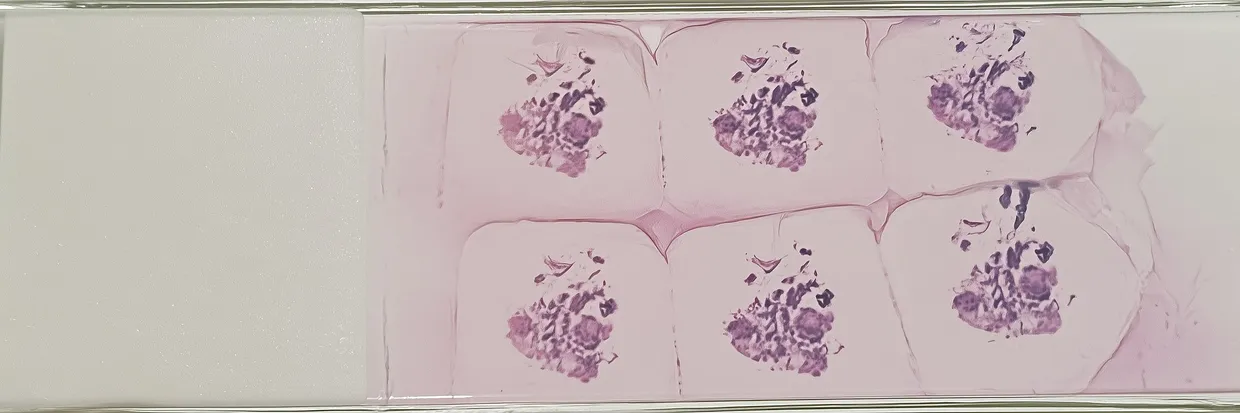
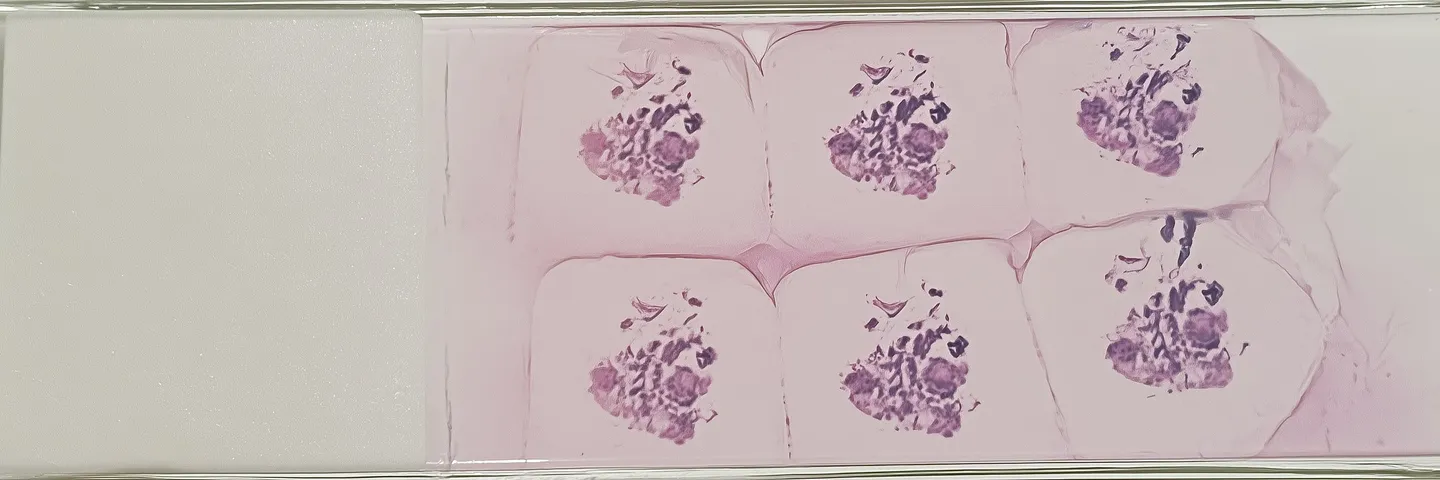
    Every report begins as a slide.

    Somewhere, a clinician and a patient are waiting on what it says. Scroll, and Dictum carries it through the pathologist’s day — and tomorrow begins the same way.

    HP26-661 · A · H&E

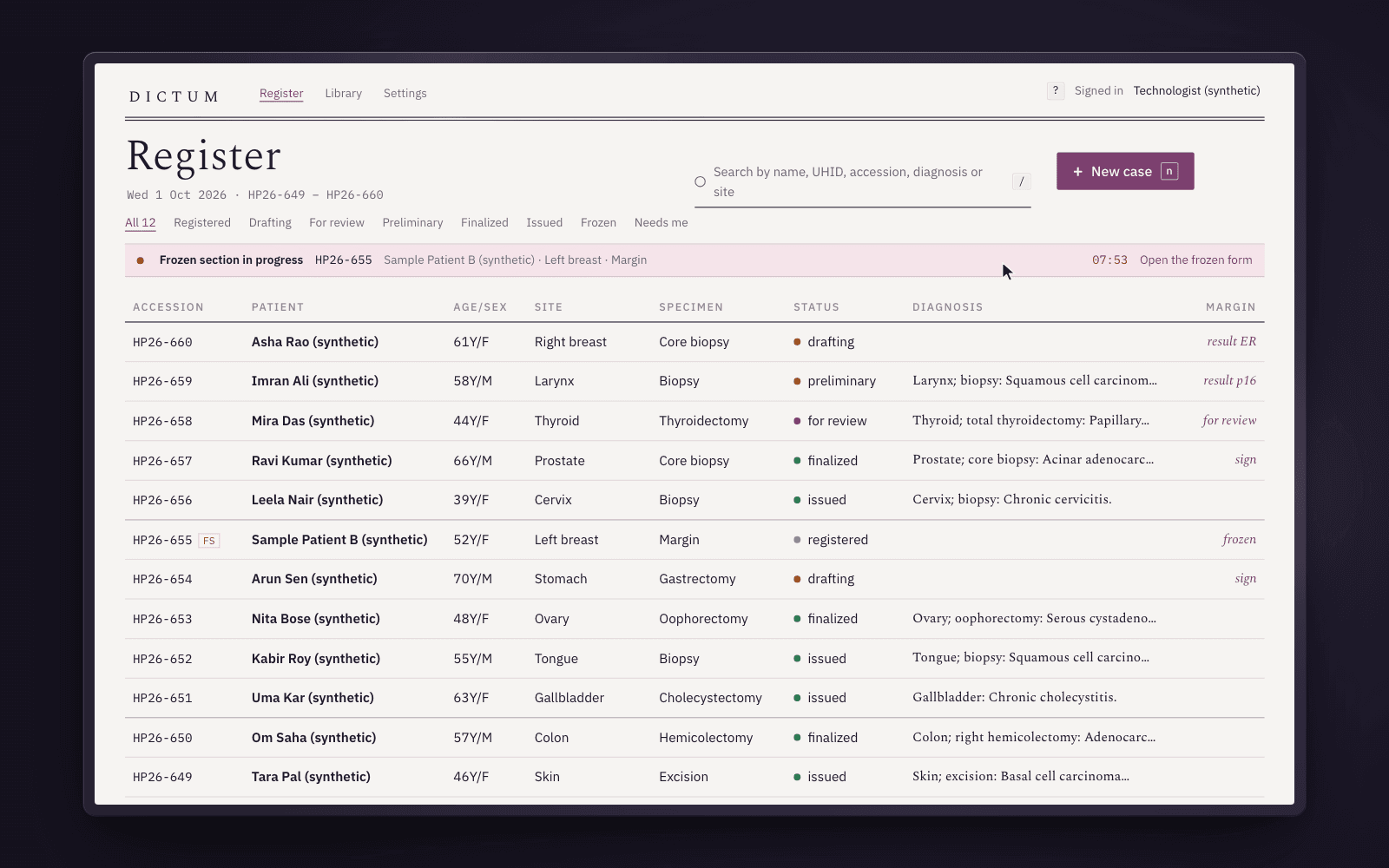
  2. The register in the glass: a ruled ledger of synthetic cases with mono accessions, statuses and margin marks, and the pale eosin band of a frozen section in progress with its clock at 07:53.

    The register, first thing.

    Every case the lab has received, ruled like the accession book, with a margin that says what each is waiting for. Across the page, a frozen section runs with its clock — an operating theatre is paused on the answer. It goes back in minutes. Then the day’s cases.

    frozen 07:42 → reported · / search · Enter open

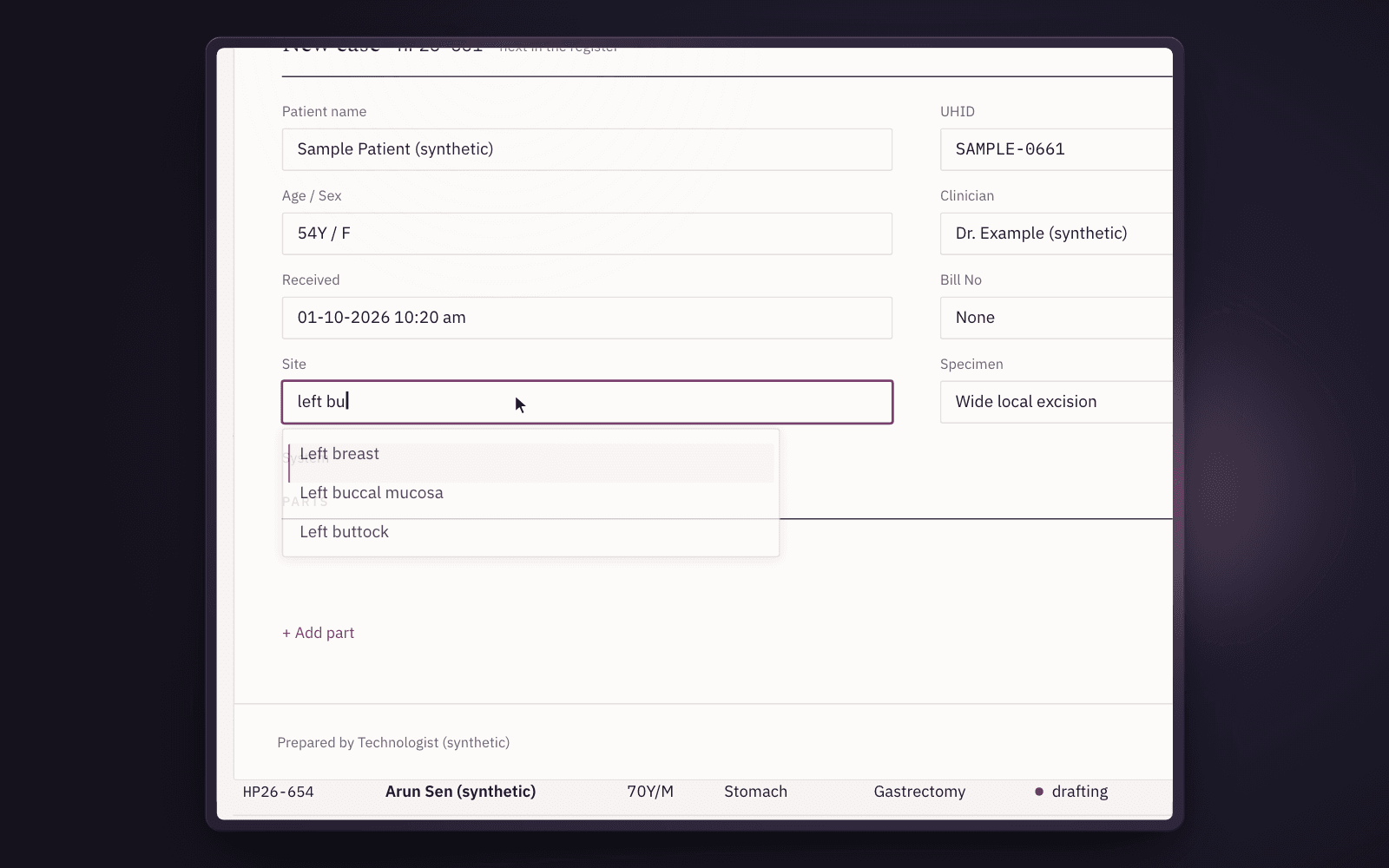
  3. The registration form: Sample Patient (synthetic), the Site field reading “left bu” with the lab’s own completion list open — Left buccal mucosa highlighted.

    A case, taken in.

    The technologist registers it from the keyboard; the next accession comes from the register itself. Two parts get their lines: the tumor, and the neck that may carry it. That is the question the report has to answer.

    HP26-661 · A excision · B neck, levels I–III

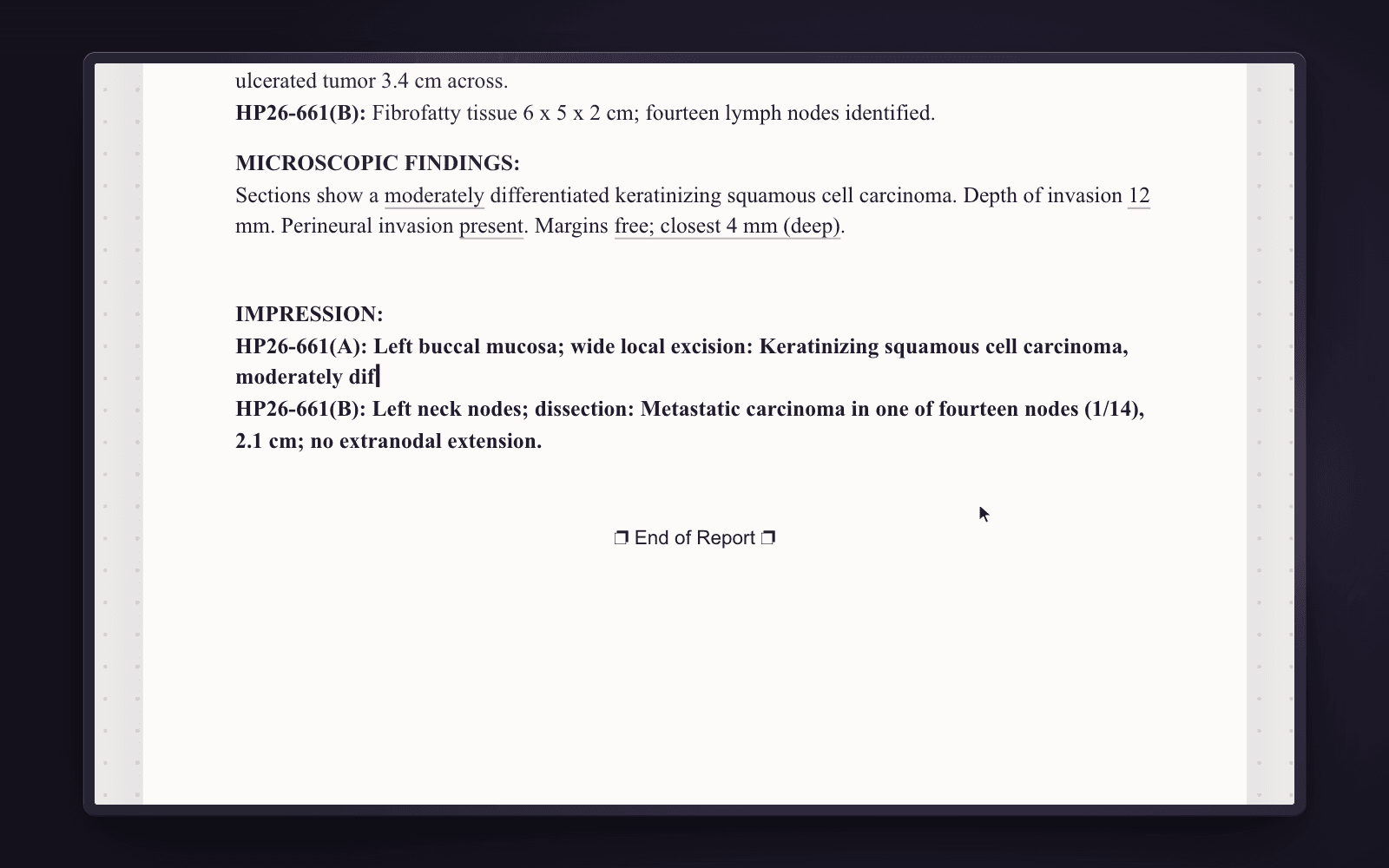
  4. The report sheet mid-draft: microscopic findings with the depth and margins set as evidence, and the impression line being typed for HP26-661.

    The pathologist writes it.

    Your shorthand expands as you type: a code and a space is a whole paragraph, in your words. The parts that change per case are chips — grade, depth, margins — and Tab moves through them. What the microscope showed goes down as evidence, as fast as you can say it.

    \SCCOC + Space · depth 12 mm · margins free

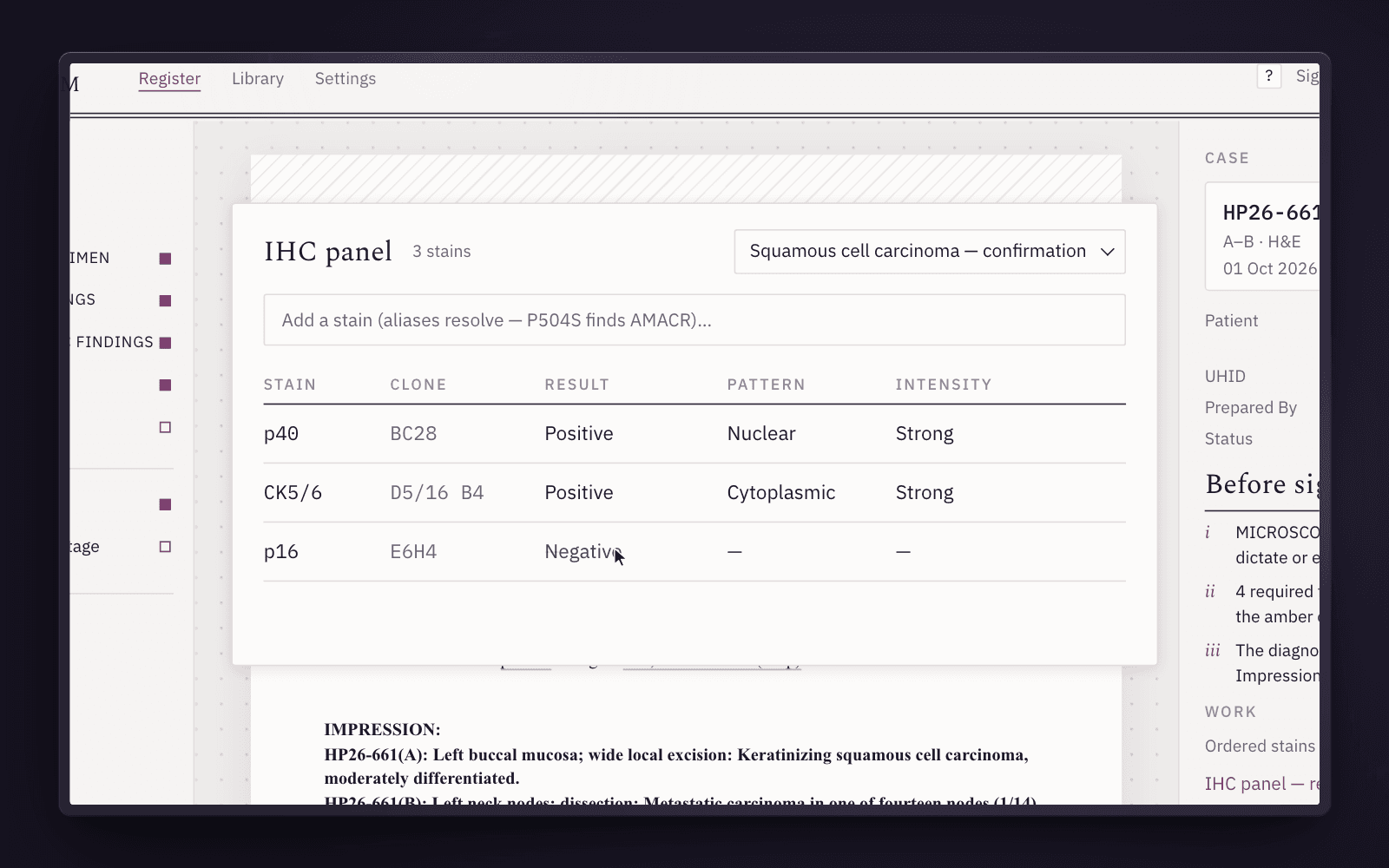
  5. The IHC panel over the sheet: three stains from the squamous-cell preset — p40 and CK5/6 positive, p16 negative — in the lab’s result columns.

    Asked of the stains.

    A preset for the tumor, a result per stain — and the report says it in the lab’s sentence, grouped by result. The panel agrees with what the pathologist saw down the microscope. Stains resolve by any name they go by.

    p40 + · CK5/6 + · p16 − · 3 resulted

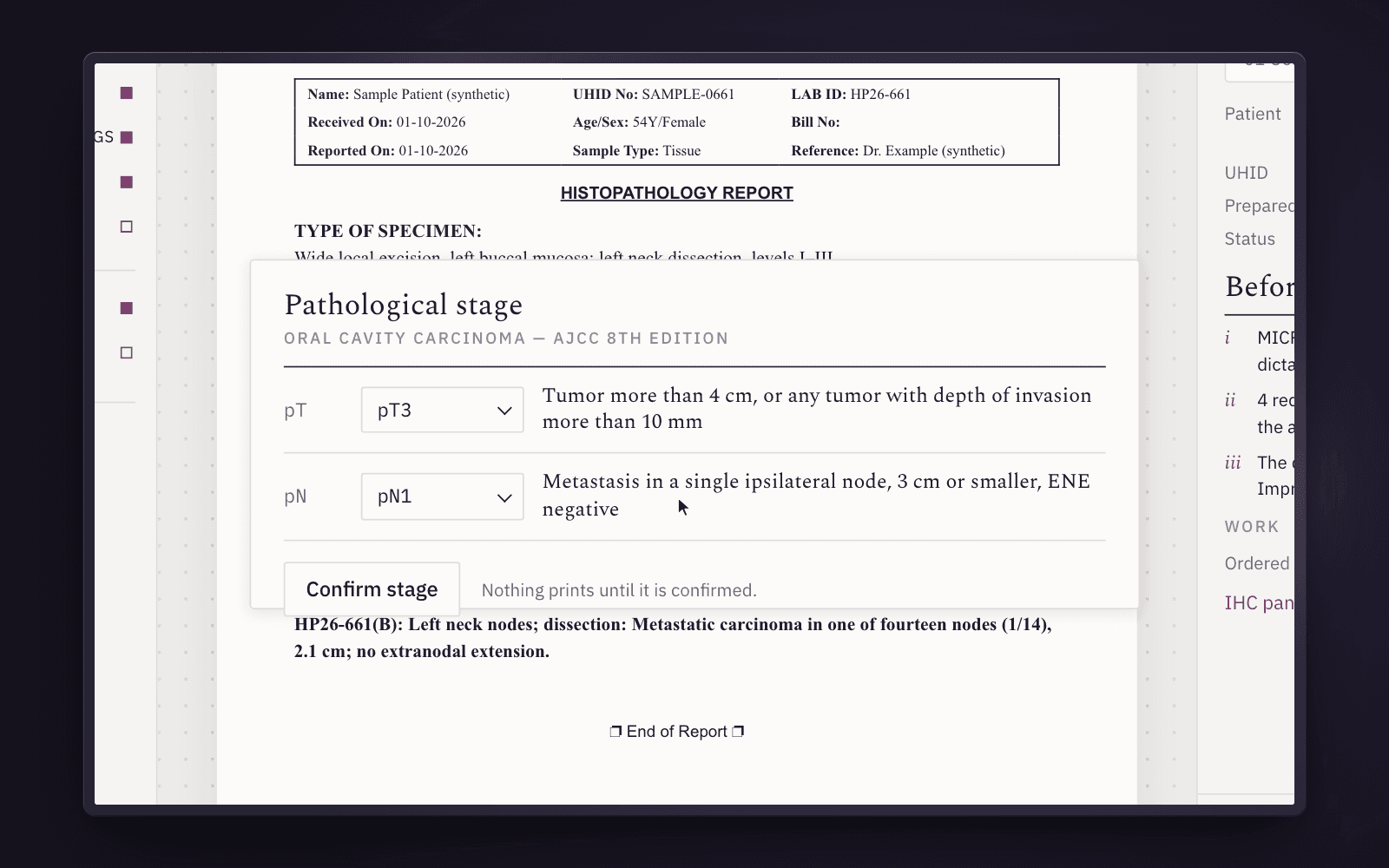
  6. The pathological stage block over the report: pT3 and pN1 chosen, each with its AJCC 8th edition definition, and the Confirm stage button — nothing prints until it is confirmed.

    The stage names it.

    Depth past ten millimetres; one node of fourteen. The stage block offers each category with its definition from the AJCC 8th edition — and nothing is staged until the pathologist confirms it.

    pT3 pN1 · 1/14 nodes · AJCC 8th

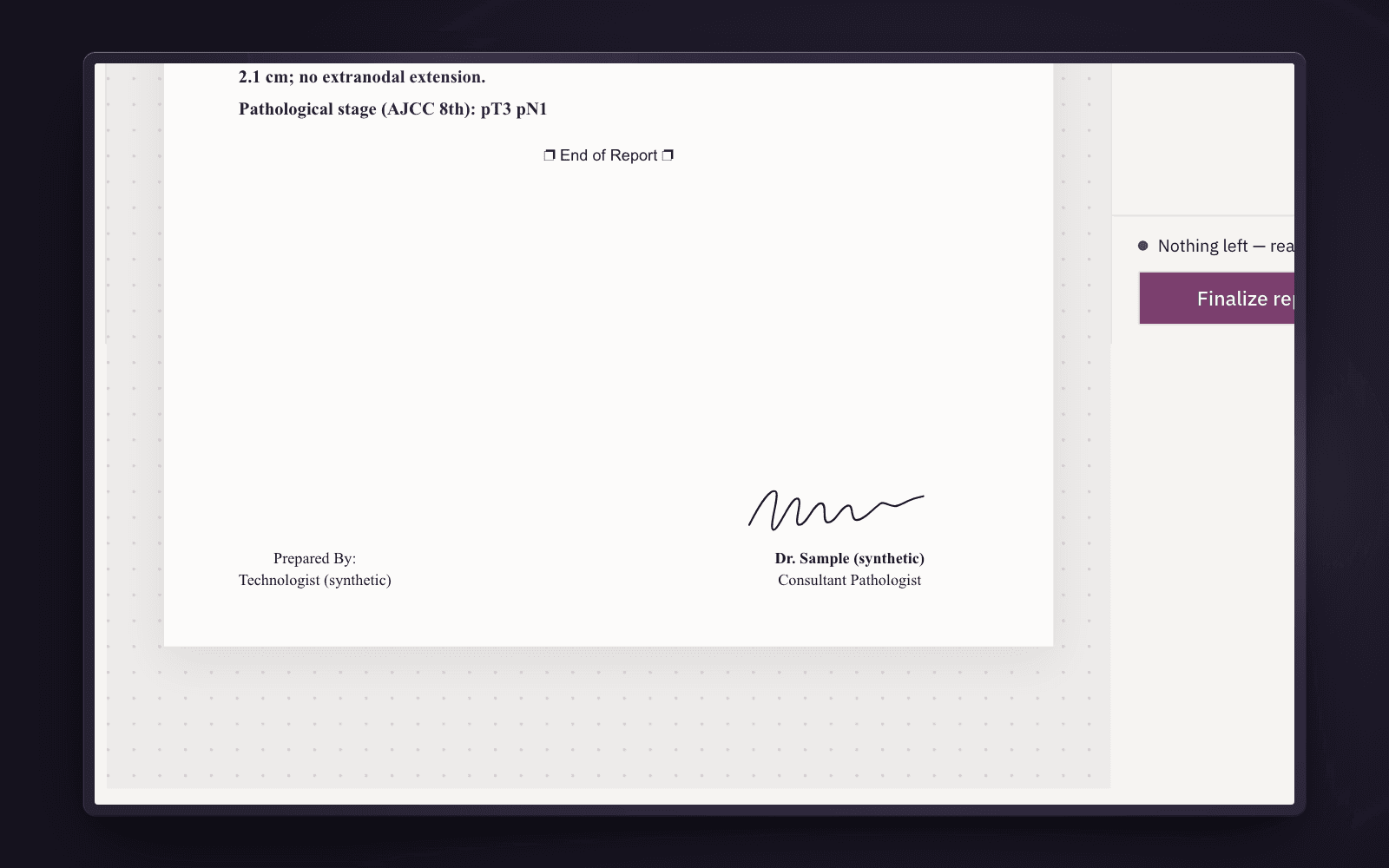
  7. The signed report: nothing left before signing, the signature drawn above Consultant Pathologist, the Finalize action filled.

    Before signing, then signing.

    A checklist reads the report as it is written — an empty section, an amber chip, a code that never expanded. When nothing is left, one keystroke puts the pathologist’s name to the answer, and the report is locked.

    i · ii · iii — Ctrl+Enter

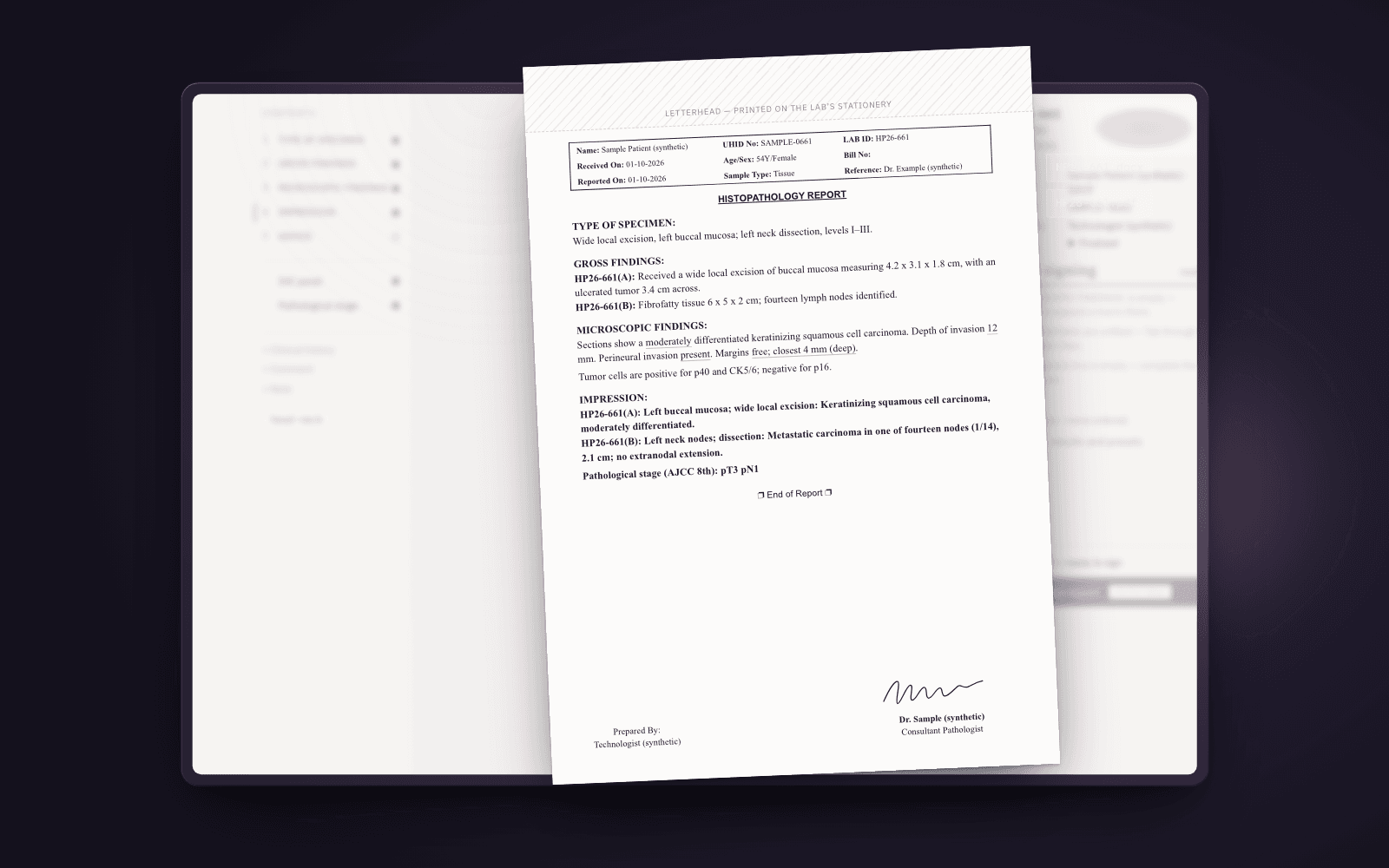
  8. The signed page lifted off the glass as paper: letterhead zone, bordered case block, the lab’s section labels, the signature at the foot.

    On the lab’s own stationery.

    The signed answer prints the way the lab’s reports always have — letterhead, case block, the lab’s section labels — as .docx and PDF. File names carry the accession, never a name.

    HP26-661.docx · HP26-661.pdf

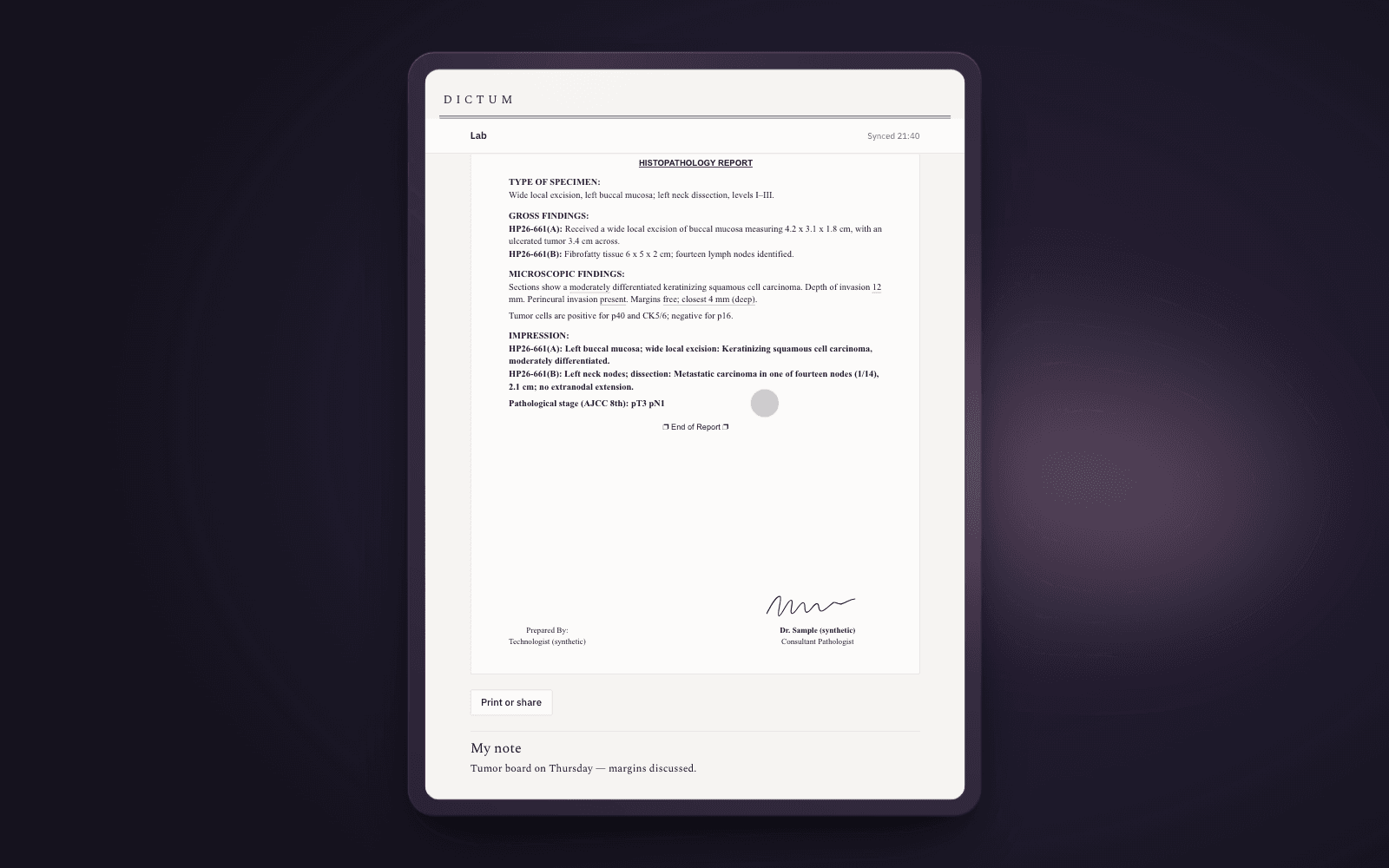
  9. The iPad companion at the end of the day: the finalized report exactly as issued, Print or share, and a private note — Tumor board on Thursday.

    At home, still there.

    The register and every signed report, exactly as issued, readable offline. Paired from the lab’s PC, with no sign-in of its own — and a private note for Thursday’s tumor board. The day ends; the case is kept.

    Safari · iPadOS 17 or later · offline

Macros and chips

Your words, kept.

Your library comes in on the first day, from the sheet you already use. A code and a space become your sentence — ordinary text you can edit, with the parts that change per case left as chips to Tab through.

Changed your mind? The whole expansion comes out in one keystroke, even after you have written around it. And when a template pack is updated, your edits are never overwritten — you see the difference and choose.

\SCCOChead-neckSpace

Sections show a moderately differentiated keratinizing squamous cell carcinoma. Depth of invasion 12 mm. Perineural invasionpresent. Margins margins.

  1. i A choice from your list
  2. ii A number with its unit, checked against its range
  3. iii Still to fill — amber, and the report will not sign until it is

Several PCs

Several PCs, one register.

Reception, the grossing bench and the reporting room each run Dictum on the lab’s own network. One register hands out every accession, so two desks never issue the same number.

Everyone signs in as themselves, so “Prepared By” names the person who did. A case open on one PC opens read-only on another — no one writes over anyone.

Four PCs working on one register
PCSigned inCaseMargin
ReceptionTechnologistregisters HP26-662registered
GrossingTechnologistgross for HP26-660drafting
Reporting roomPathologistsigns HP26-661sign
Frozen benchPathologistfrozen for HP26-655frozen

Accessions come from one register, over the lab’s own network. No patient details travel between PCs to get one.

Where patient data lives

Encrypted to your own Drive.

The register lives on the lab’s PC. Backups and the iPad’s copy travel through a Google account the lab owns, and everything is encrypted on the PC before it leaves.

The key is the lab’s passphrase, with a 24-word recovery key printed for the lab’s safe. Google stores only what it cannot read. So do we: Sciscribe holds no copy and no key.

How data is handled, in full →

  1. The lab’s PCReports, the register, the lab’s macros — readable here, by the lab.plain · offline
  2. The lab’s Google DriveSealed files. No patient detail in any name, list or history.ciphertext only
  3. The pathologist’s iPadReads the register and signed reports offline; writes back only private notes.a reading copy
Telemetry
None. Dictum reports nothing to anyone.
Sciscribe’s access
None — no account, no key, no copy.
File names
The accession only: HP26-661.docx

And the rest of the day

What the slide doesn’t show.

  1. Frozen sections

    One screen, the clock running, the diagnosis in minutes — and the permanent report carries it, with a concordance the pathologist must state.

    HP26-655 · FS

  2. Addenda and amendments

    A signed report never changes. An addendum adds to it; an amendment supersedes it, and the pathologist reviews the difference before signing.

    _ADD1 · _AMD1

  3. The library

    The lab’s macros by pack and organ system, searchable, versioned and printable as a cheat sheet. Pack updates arrive as a difference you accept per macro.

    general · gu · breast · head-neck …

  4. Report format

    Margins, fonts, the case block and the title, set beside a live A4 page — so the print matches the lab’s letterhead to the millimetre.

    A4 · 17.5 mm left

  5. The register

    Search by name — even misspelt — UHID, accession, diagnosis, site or date, in well under a second, offline. Export it to Excel at any time.

    / to search

Not a medical device

Dictum does not diagnose. Every word in a signed report is the pathologist’s.

It has no diagnostic algorithm and writes no diagnostic text. Macros insert the pathologist’s own wording; the checklist finds what is missing, never what is wrong. Dictum is a tool for writing and keeping the record — the pathologist signs the report.

Ready when the lab is.

One installer for every PC in the lab. The iPad is paired from the PC — nothing to install there.

1.0 release candidate · Windows 11 · 64-bit